How to Determine Whether Social Media Accounts Using the Same Username Belong to the Same Creator
The same username appearing on YouTube, Instagram, TikTok, X, CHZZK, or another platform does not prove that every account belongs to the same creator. Common handles may already be taken, while fan pages and impersonators can copy profile photos, bios, and recent posts.
The safest method is to begin with one account or website you already know is official, then follow the links published there. Visual similarities can support the connection, but they should not replace direct confirmation—especially before you buy a membership, send money, download a file, or provide personal information.
Start From a Known Official Account, Not From Search Results
Choose the creator’s strongest known source. This might be:
- Their official website or agency profile
- A channel linked from an official company page
- A platform account that has already been confirmed
- A newsletter or Naver Cafe notice previously promoted by the creator
- A link hub reached through a known official profile
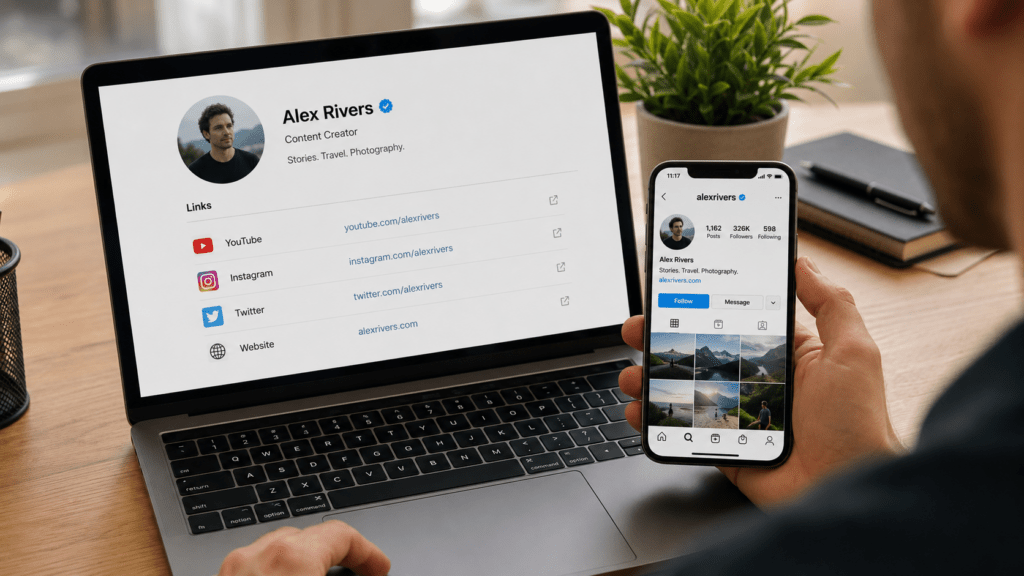
From that starting point, look for direct links to the creator’s other accounts. Check the profile description, banner, pinned post, channel links, livestream descriptions, or official contact page.
YouTube currently lets channel owners display multiple profile links. Therefore, an Instagram, TikTok, X, or personal-site link published on a known YouTube channel is much stronger evidence than finding the same username through platform search.
The link does not need to use the same handle. A creator may use one name on YouTube and another on CHZZK or Instagram because the preferred username was unavailable or changed over time. A direct link from the known account is more important than an exact username match.
A useful verification chain looks like this:
Official website or agency page → known primary account → linked secondary account
When both accounts link back to each other, the connection becomes stronger. For example, the YouTube channel may link to an Instagram profile, while the Instagram bio links back to the same YouTube channel or official website.
Rank the Evidence Instead of Counting Similarities
Do not use a rule such as “two matching signs means the accounts are the same.” Some clues are much stronger than others.
| Evidence | Strength | How to Use It |
|---|---|---|
| Direct link from the creator’s official website or known primary account | Strong | Normally sufficient when the destination URL is correct |
| Agency, management company, or official brand page lists the account | Strong | Confirm that the company page itself is genuine |
| Both accounts link to each other | Strong | Check the complete URLs, not only the displayed text |
| Platform-issued verification badge | Medium to strong | Understand what that platform’s badge actually means |
| Same business email using the creator’s official domain | Medium | Useful when the domain is independently verified |
| Same original video, watermark, voice, or posting announcement | Supporting | Content can still be copied or reposted |
| Same photo, bio, display name, or color scheme | Weak | These elements are easy to duplicate |
| Similar follower count, posting time, or writing style | Weak | Treat only as background clues |
| Same username alone | Very weak | Never use this as final confirmation |
Verification badges must be interpreted by platform.
TikTok states that its verified badge means it has confirmed that the account belongs to the person or brand represented. The badge appears next to the username in search results and on the profile; a checkmark placed manually inside the bio is not a real TikTok verification badge.
Instagram describes its verified badge as confirmation based on account activity and information or documents provided. Even so, the badge confirms that particular Instagram profile—it does not automatically authenticate an account with the same name on another platform.
A blue checkmark on X requires additional caution. X currently states that the blue checkmark means the account has an active Premium subscription and meets eligibility requirements; it does not by itself mean that the account holder completed identity verification.
Therefore, do not treat every blue badge as equivalent. A badge can strengthen the evidence, but the official cross-link remains the more useful cross-platform proof.
Identify What Kind of Account You Found
Several accounts may be genuinely connected to the same creator without all being personally operated by that creator.
Primary creator account
This is the account the creator uses for their main content, public identity, announcements, or business communication. Other official profiles should ideally link back to it or to the same official website.
Official secondary or archive account
A creator may operate separate channels for livestreams, full replays, clips, translated content, music, merchandise, or membership updates. The username and branding may differ. Look for a direct announcement from the primary account confirming the secondary channel.
Agency-managed account
An entertainment company, management agency, or production team may run an account on the creator’s behalf. The writing style and posting schedule may differ from the creator’s personal accounts. Check whether the agency’s official website or the creator’s primary profile identifies it as an official managed account.
Fan, community, or archive account
A fan page may clearly state “fan account,” “unofficial archive,” “translation account,” or “clips account.” It may publish accurate information and use the same branding, but it should not be treated as the creator’s account for payments, private messages, or official announcements.
Impersonation account
An impersonator tries to make users believe the creator personally operates the account. Warning signs include asking for payment through direct messages, promoting unfamiliar membership links, requesting verification codes, or claiming the user has won an event that the primary account never announced.
A fan or parody account is not necessarily deceptive when its status is clearly disclosed. The problem begins when an account hides that distinction and imitates the creator in a way intended to confuse users.
Verify the Account Before Paying or Sharing Personal Information
Use a stricter standard when the account asks you to take an action involving money, login credentials, identity documents, or downloads.
Follow this sequence:
- Leave the payment or registration link temporarily.
Return to the creator’s known official website or primary account. - Find the destination through an official cross-link.
Do not search for the username again and select a similar result. - Compare the complete profile and payment URLs.
A correct social account can still link to an unrelated or compromised checkout page. - Check who receives the payment.
Confirm the membership platform, merchant name, price, renewal terms, and cancellation method. - Do not proceed when the account remains unverified.
Contact the creator or agency through a known official channel and ask whether the account or offer is genuine.
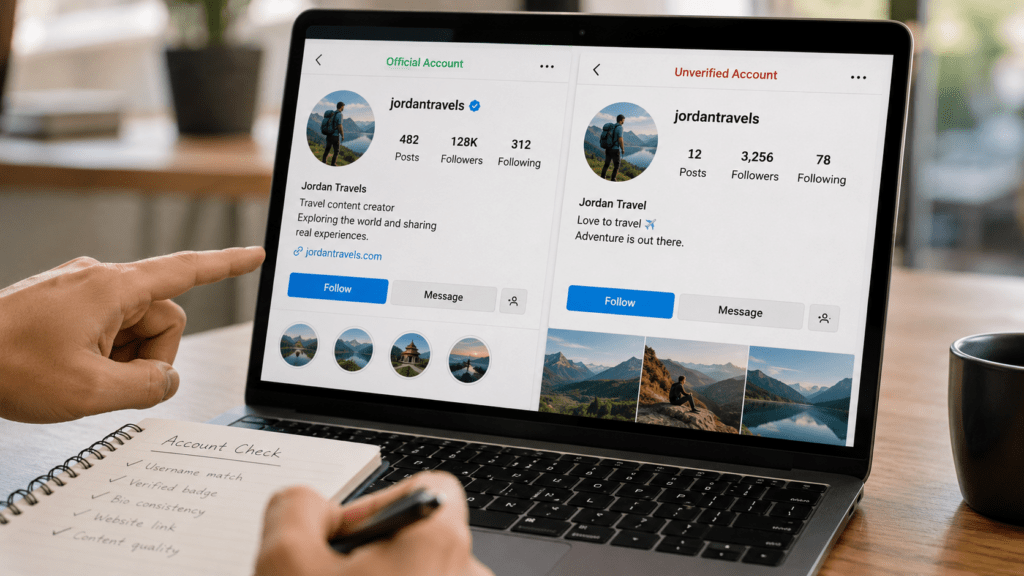
If the creator has not linked the account anywhere, describe it as unverified, even when its content looks convincing. Do not accuse it publicly of impersonation without stronger evidence, but do not use it for payment or sensitive communication either.
When an account appears deceptive, preserve its profile URL, username, screenshots, messages, and payment requests before reporting it. TikTok and X both provide dedicated reporting routes for impersonation accounts. X allows both the person being impersonated and other users who notice the impersonation to submit reports.
If you already entered a reused password, change it from a trusted device and protect the associated email account first. If you sent money or provided card details, contact the payment provider through its official app or telephone number rather than using contact information supplied by the questionable account.
The practical rule is:
Start from a source you already trust → follow official cross-links → understand what the platform badge means → identify the account type → stop before payment when ownership is still unclear.
Matching usernames help you search. Direct confirmation is what establishes that the accounts belong to the same creator.